


Nexus Docker 镜像仓库配置
604 字
3 分钟
Nexus Docker 镜像仓库配置
为什么选 nexus3 不选 harbor
因为穷, 家里的闲置主机资源配置一般, 已经跑了以下应用
- PVE(是的, 我在闲置主机上先装了 PVE)
- 基于 PVE 的 Debian
- nexus3(对, 就是那个大名鼎鼎的 java maven 自建私服应用)
- gitea(有些小项目我懒得放 github)
- mysql8
- nginx
- syncthing
- xxl-job-admin
- java 爬虫应用
harbor 的组件太多, 我不想再装 postgres 等数据库了(感觉躲不过, 下一步的 sonarqube 好像要用 postgres)
配置说明
nexus 配置
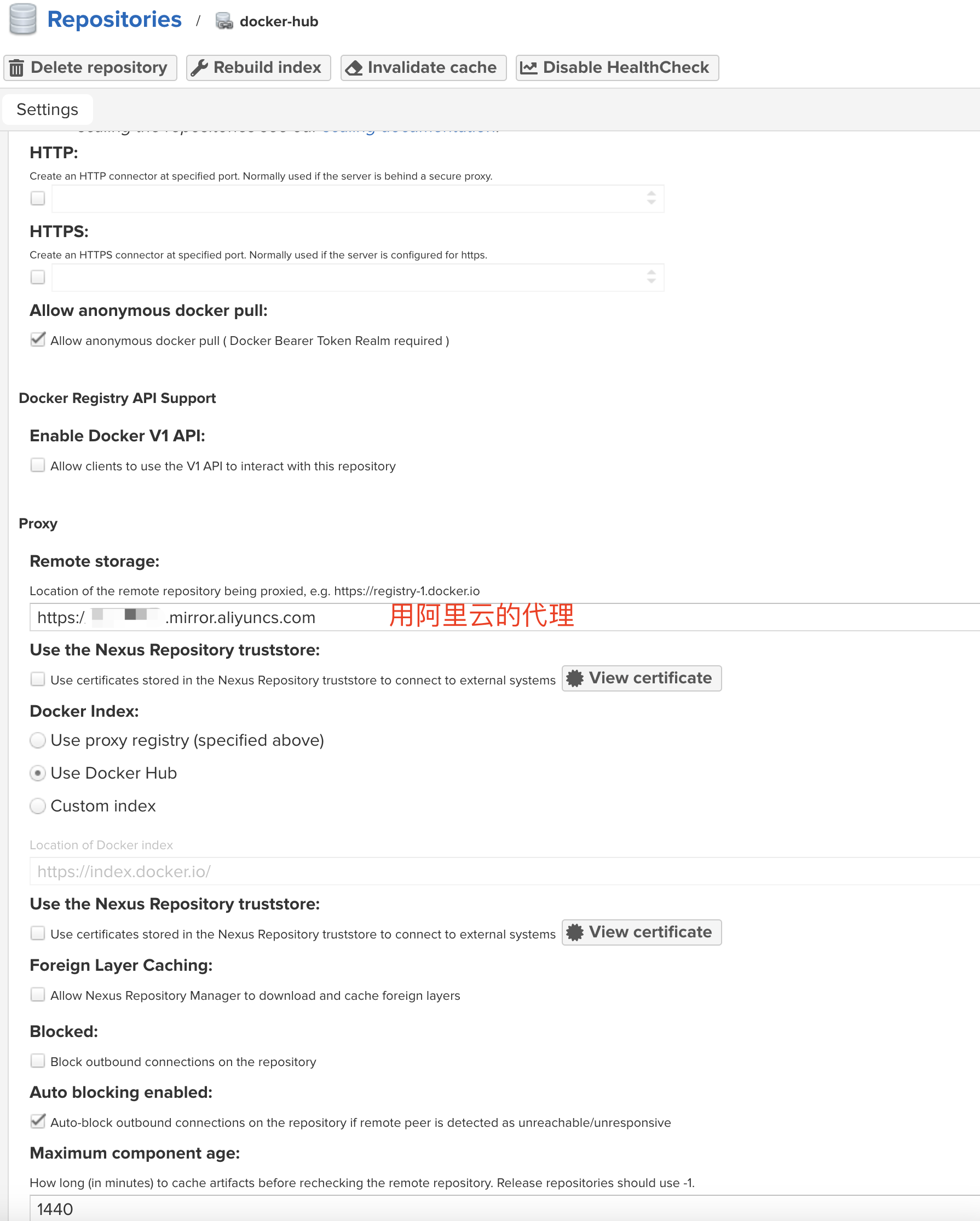
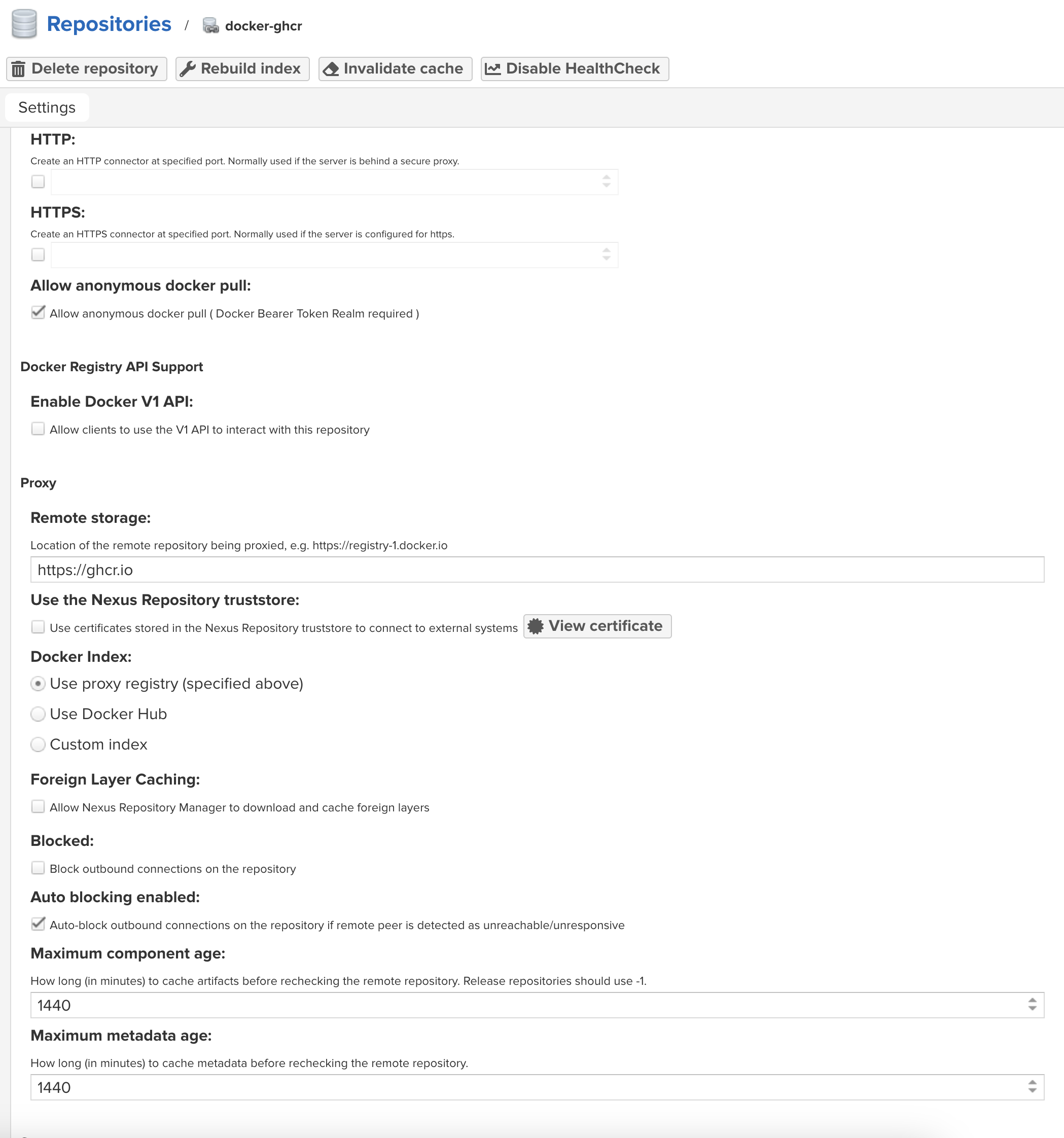
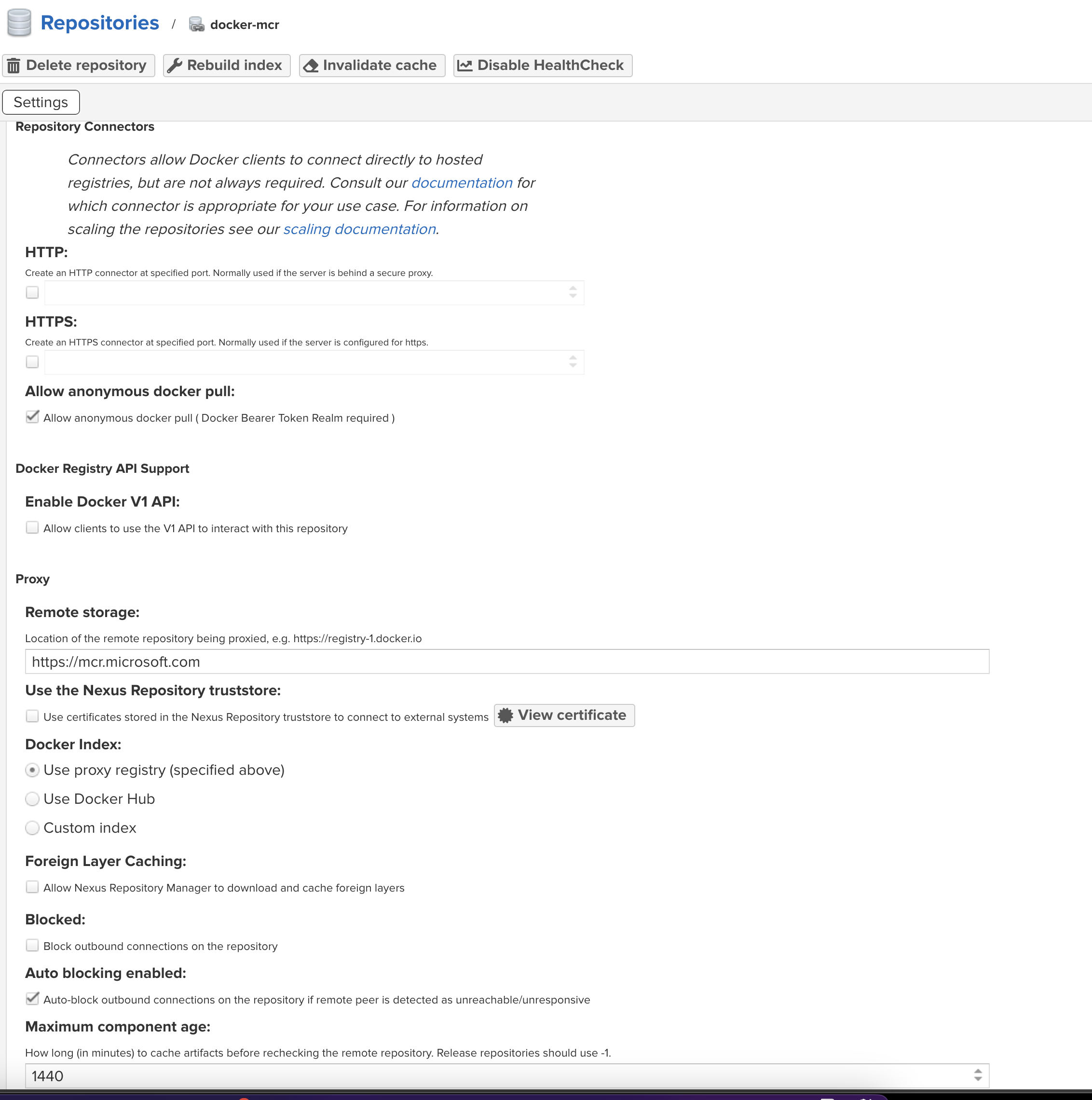
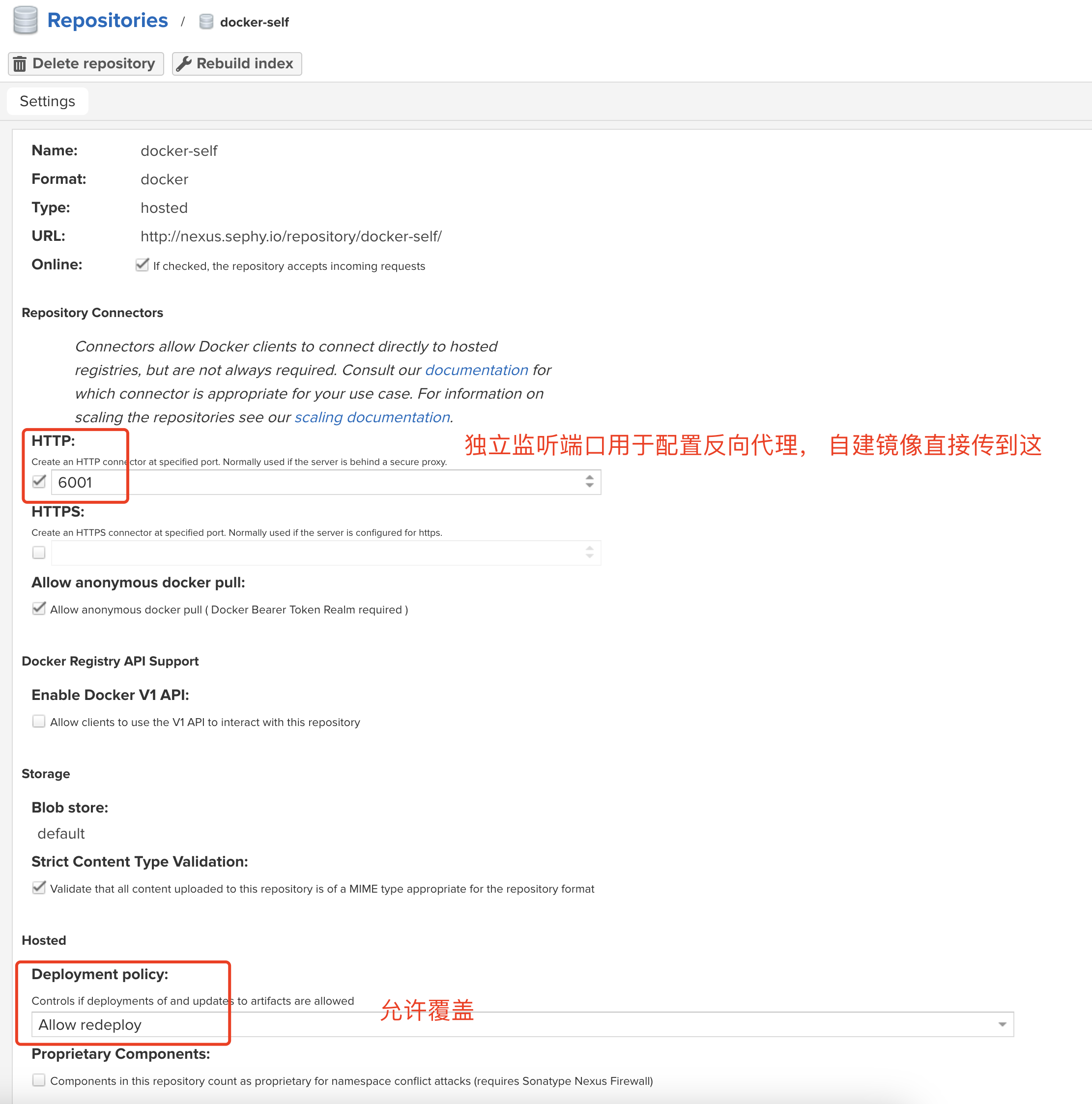
以下 repository 配置都不需要勾选启用 v1 的 api
- 添加 docker-hub 的 proxy, 这里用的阿里云镜像
Untitled 75 - 添加谷歌镜像的代理 ghcr.io
Untitled 76 - 添加微软镜像的代理(playwright-java 的 docker 镜像在这)
Untitled 77 - 添加自建仓库
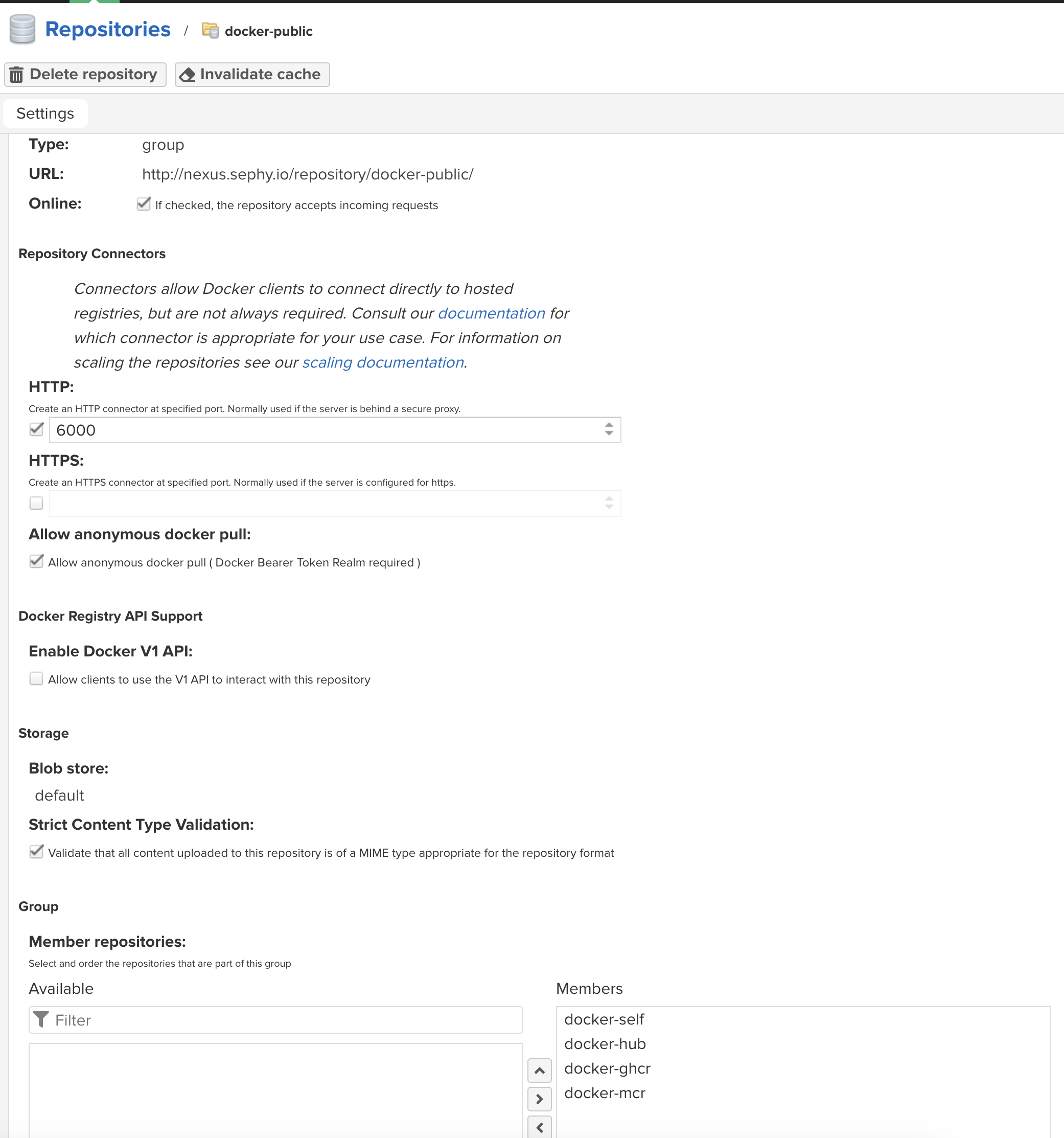
Untitled 78 - 再搞一个聚合的仓库, 用来对自己提供镜像缓存, 6000 端口用来单独配置反向代理
Untitled 79
nginx 反向代理配置
docker-mirror.sephy.io → nexus<6000> 端口
docker-registry.sephy.io → nexus<6001> 端口
==因为频繁的遇到 docker pull 时都通过 https 方式从 docker-registry.sephy.io 获取镜像, 这里还通过 Fishdrowned 的 ==== https://github.com/Fishdrowned/ssl ==== 项目来生成了自签的证书来配置 nginx https://docker-registry.sephy.io==
汇总如下
| 仓库 | repository 类型 | 代理目标 | http 端口 | 域名 |
|---|---|---|---|---|
| docker-hub | proxy | 阿里云公共镜像 | ||
| docker-ghcr | proxy | 谷歌镜像 | ||
| docker-mcr | proxy | 微软镜像 | ||
| docker-self | hosted | 自建镜像 | 6001 | docker-registry.sephy.io |
| docker-public | group | 聚合镜像 | 6000 | docker-mirror.sephy.io |
docker 配置
/etc/docker/daemon.json
{ "registry-mirrors": ["http://docker-mirror.sephy.io"], "insecure-registries": ["docker-registry.sephy.io"]}改完 daemon.json 后需要重启 docker, 并登录到私有仓库
sudo systemctl daemon-reloadsudo systemctl restart dockerdocker login -u admin https://docker-registry.sephy.io验证一下上传自定义镜像到私服
# tag 格式 registry/namespace/image-name:versiondocker tag maven:3.9.6-eclipse-temurin-21-jammy-custom docker-registry.sephy.io/maven:3.9.6-eclipse-temurin-21-jammy-customdocker push docker-registry.sephy.io/maven:3.9.6-eclipse-temurin-21-jammy-customThe push refers to repository [docker-registry.sephy.io/maven]442fe6ab34d7: Pushed6d5dc7bd1e8b: Pushedb87a4be1beb2: Pushed908af68e2e85: Pushedc7dab9361ce9: Pusheda24a61ddf7b4: Pushedc1793f638462: Pushed4df676480fd4: Pushedd9d7e0852802: Pushedcbb50874016a: Pushed5498e8c22f69: Pushed3.9.6-eclipse-temurin-21-jammy-custom: digest: sha256:f0bf790bda0c8d43ac142de4066dc3e7286659ad789762e5ee494ccc712e3483 size: 2624效果展示
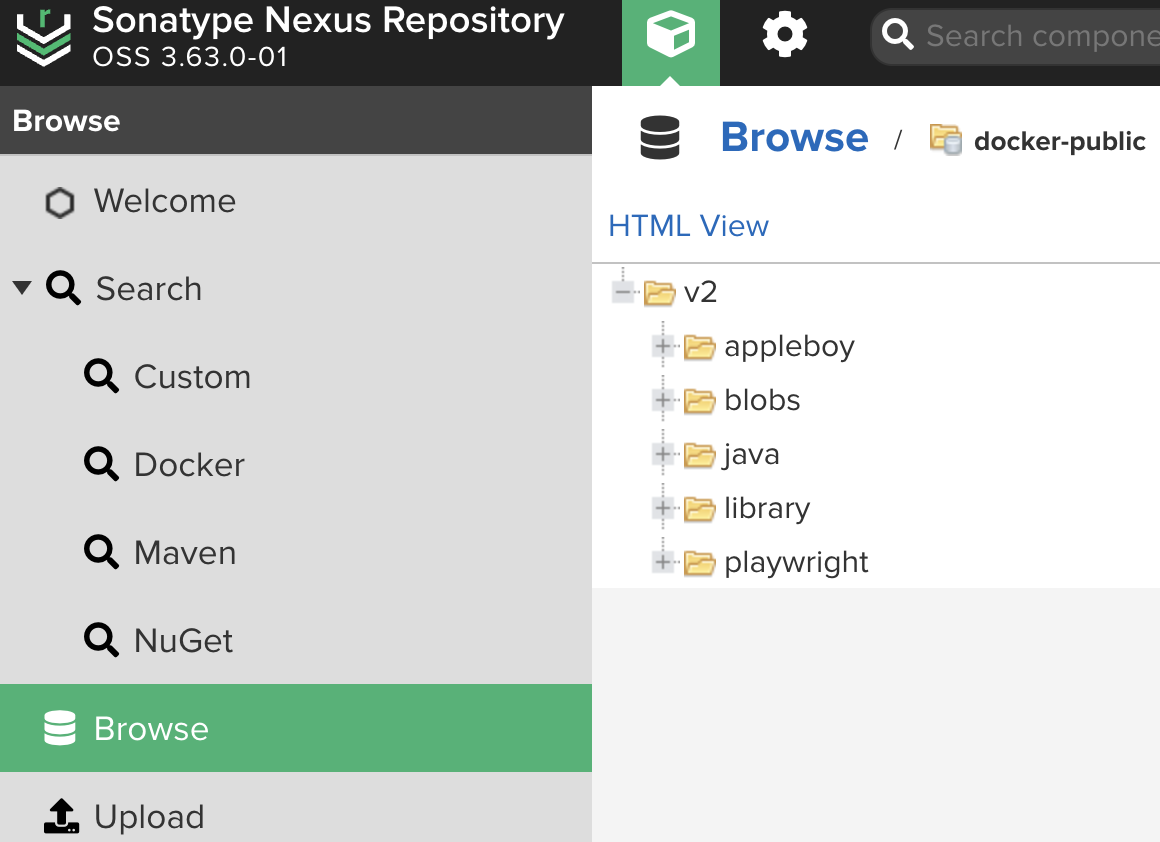
聚合的 docker-public 库
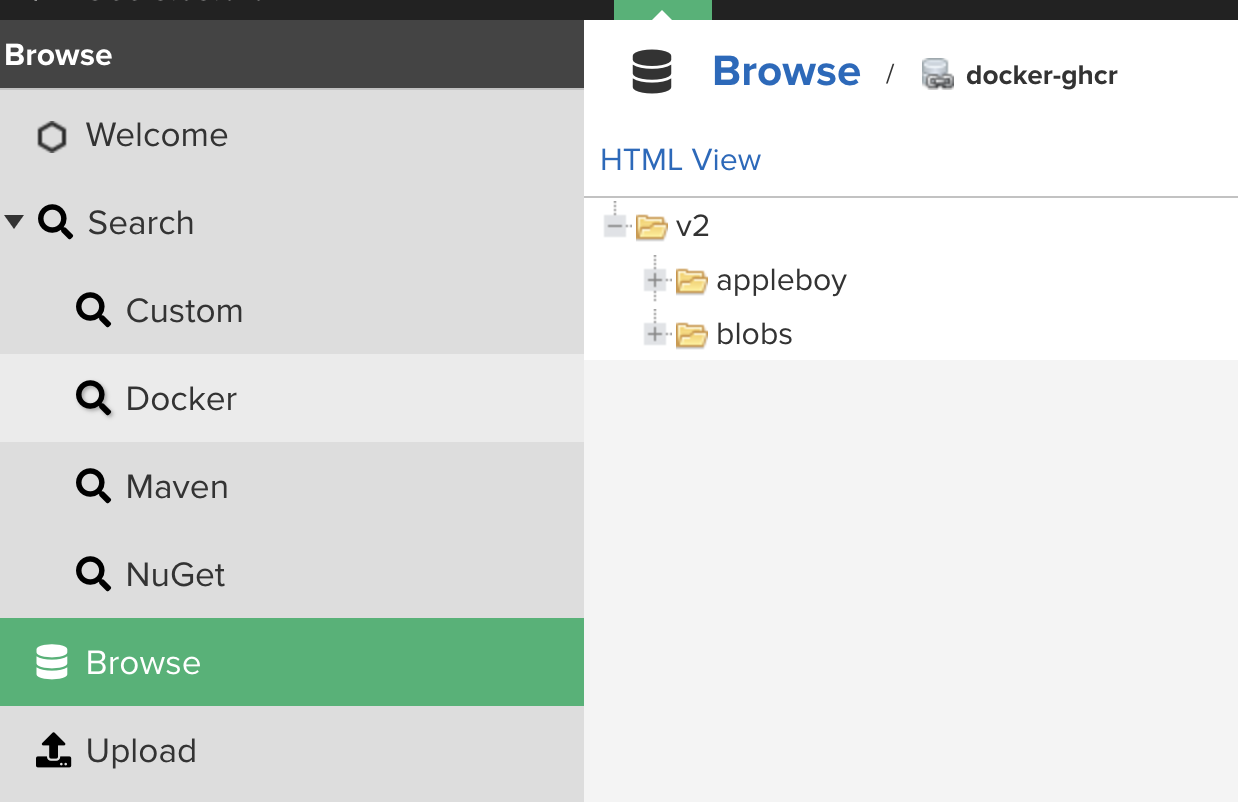
ghcr 缓存
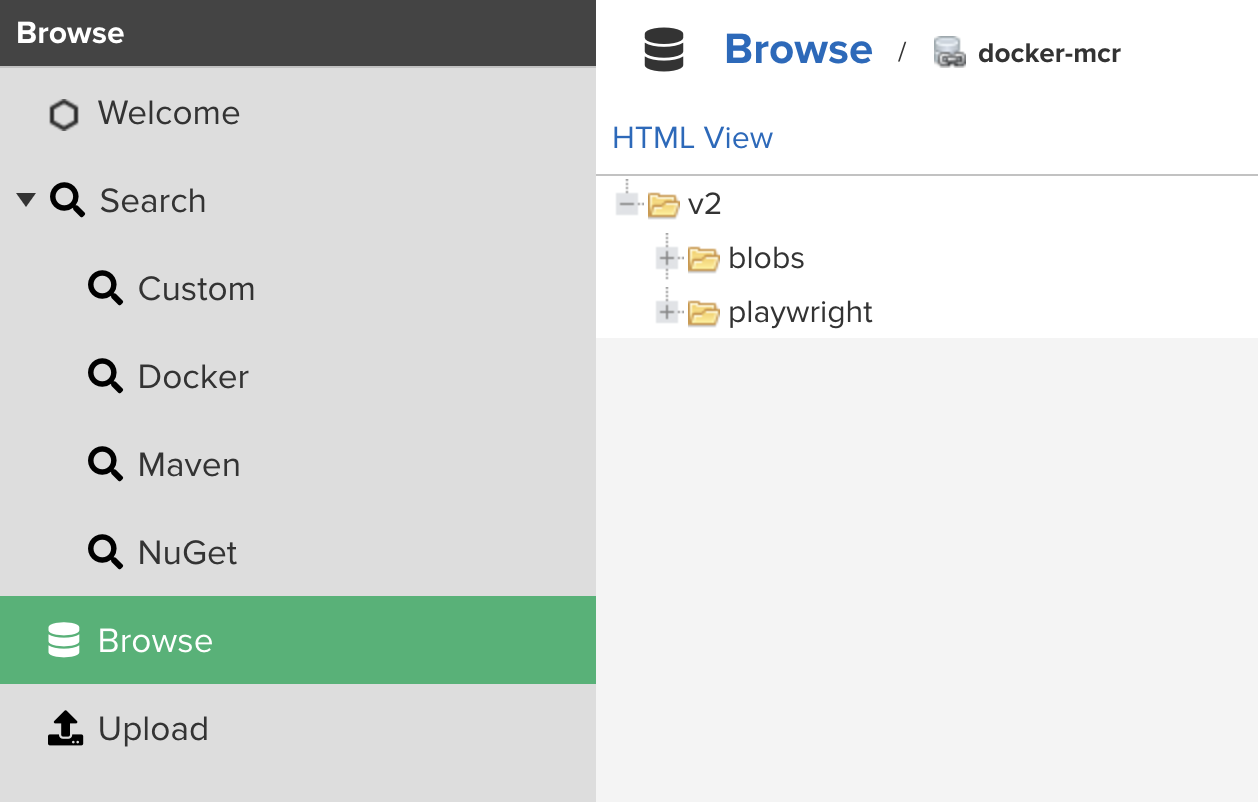
微软缓存
阿里云镜像缓存
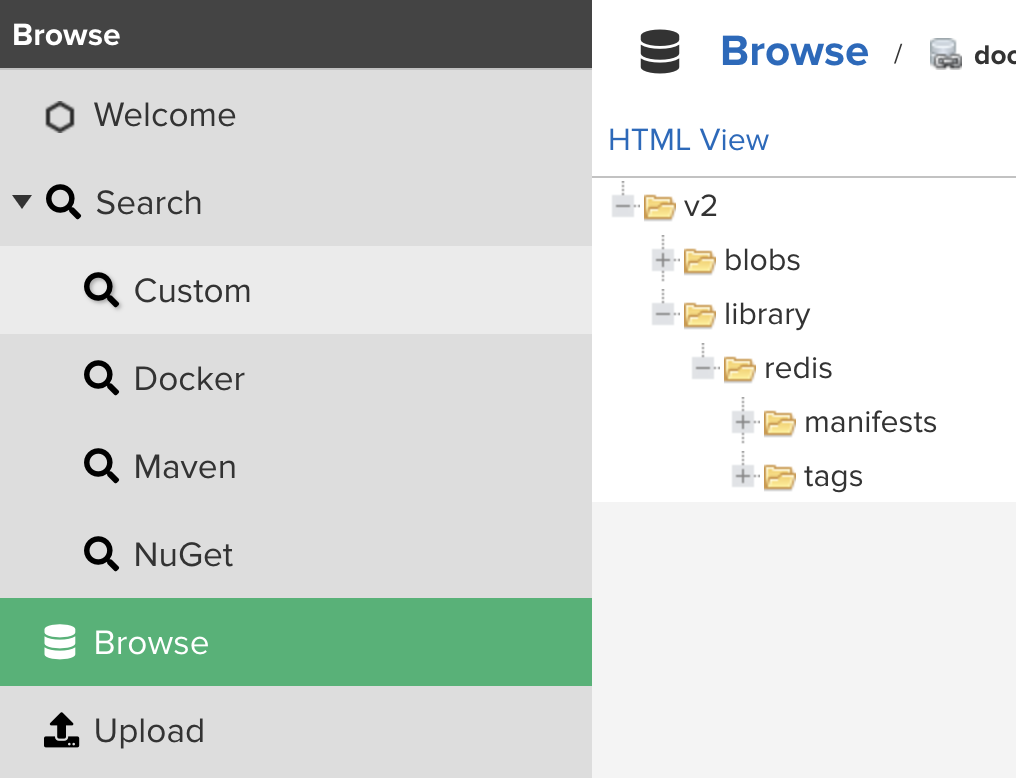
自建私服缓存
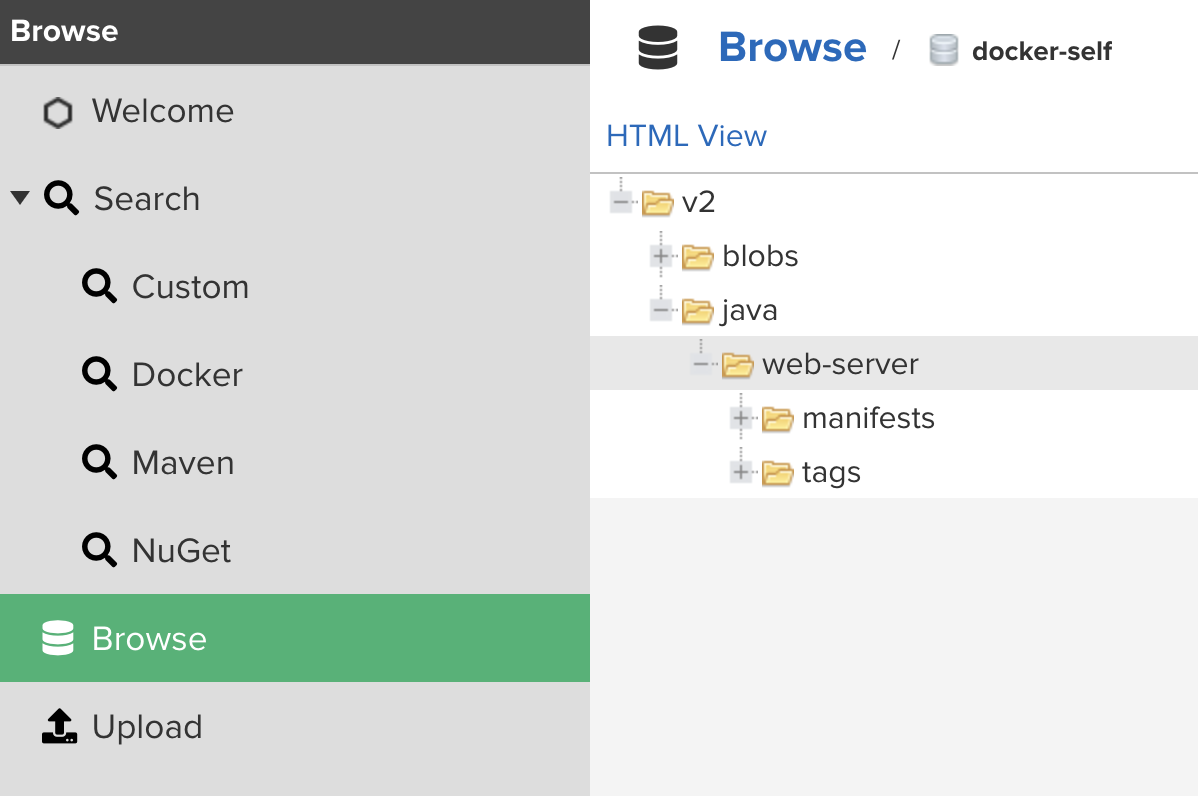
📎 参考文章
- Ubuntu(linux)添加系统证书信任_update-ca-certificates-CSDN博客
- Nexus3 安装 及 配置 docker 私有、代理 仓库-云社区-华为云 (huaweicloud.com)
- docker push到私有仓库-CSDN博客
- nexus搭建docker私服_nexus docker proxy-CSDN博客
- Nexus3最佳实践系列:搭建Docker私有仓库-腾讯云开发者社区-腾讯云 (tencent.com)
- 使用nexus3.x配置docker镜像仓库及仓库代理_云原生总监的技术博客_51CTO博客
- docker login on private nexus => Error response from daemon: login attempt to http://ip
/v2/ failed with status: 404 Not Found - Stack Overflow
文章分享
如果这篇文章对你有帮助,欢迎分享给更多人!
Nexus Docker 镜像仓库配置
https://blog.sephy.top/posts/nexus-docker-镜像仓库配置/相关文章智能推荐
1
Docker 常用操作
技术分享2024-04-11
2
SpringBoot 在 Docker 容器中的 1 号进程
技术分享踩到了 1 个坑, 发现平滑关机在 docker 容器中没有按照预想的执行
3
Drone CI 小试
技术分享每次推送代码到自建的 gitea 之后, 都要手动去 linux 服务器上执行部署脚本, 虽然这个操作一共也就几步(拉取最新代码 → 打包构建 → 生成 docker 镜像 → docker compose 运行), 之前就听说过 Drone CI, 这里假期刚好可以折腾小试一下.
4
在 PVE 上给软路由虚拟机加一个网络 Watchdog
技术分享在 PVE 宿主机上用 Bash 和 systemd timer 实现一个网络 watchdog:先检测公网连通性,连续失败后重启软路由虚拟机,多次自愈无效再升级为重启 PVE 宿主机。
5
命令行自动登录 JumpServer:SSH、TOTP 与密码提示的自动化
技术分享把 JumpServer 登录流程拆成凭据读取和终端交互两层:zsh 从密码管理器安全读取 TOTP seed 与可选密码,expect 只负责响应 SSH 登录过程中的 password 和 Code 提示。
随机文章随机推荐
文章
61
分类
4
标签
52
总字数
64,663
运行时长
0 天
最后活动
0 天前
站点域名blog.sephy.top
Fireflyv6.13.9
Astrov7.0.7
Nodev22.23.1
pnpmv9.14.4
构建时间2026年7月15日 00:54:41
系统信息Linux / x86_64